Choose the right business setup

Service-area business

You travel to customers and do not serve them at your business address. Hide that address from the public profile.

Storefront

Customers visit a qualifying, staffed location during its stated hours.

Hybrid business

You serve customers at a qualifying location and also travel to their properties.

A Google Business Profile helps contractors present their business details on Google Search and Maps. The first decision is how you actually serve customers. A plumber who dispatches from home typically operates as a service-area business. A remodeler with a staffed, signed showroom that receives customers may operate as a hybrid business.

Use the arrangement that exists today. A mailbox or virtual office is not a substitute for an eligible customer-facing location. Review Google’s business representation guidelines before entering an address.

This guide covers setup and accuracy. If you need someone to connect the profile with service pages, project content, and measurement, explore our SEO service for contractors.

Find the existing profile before creating one

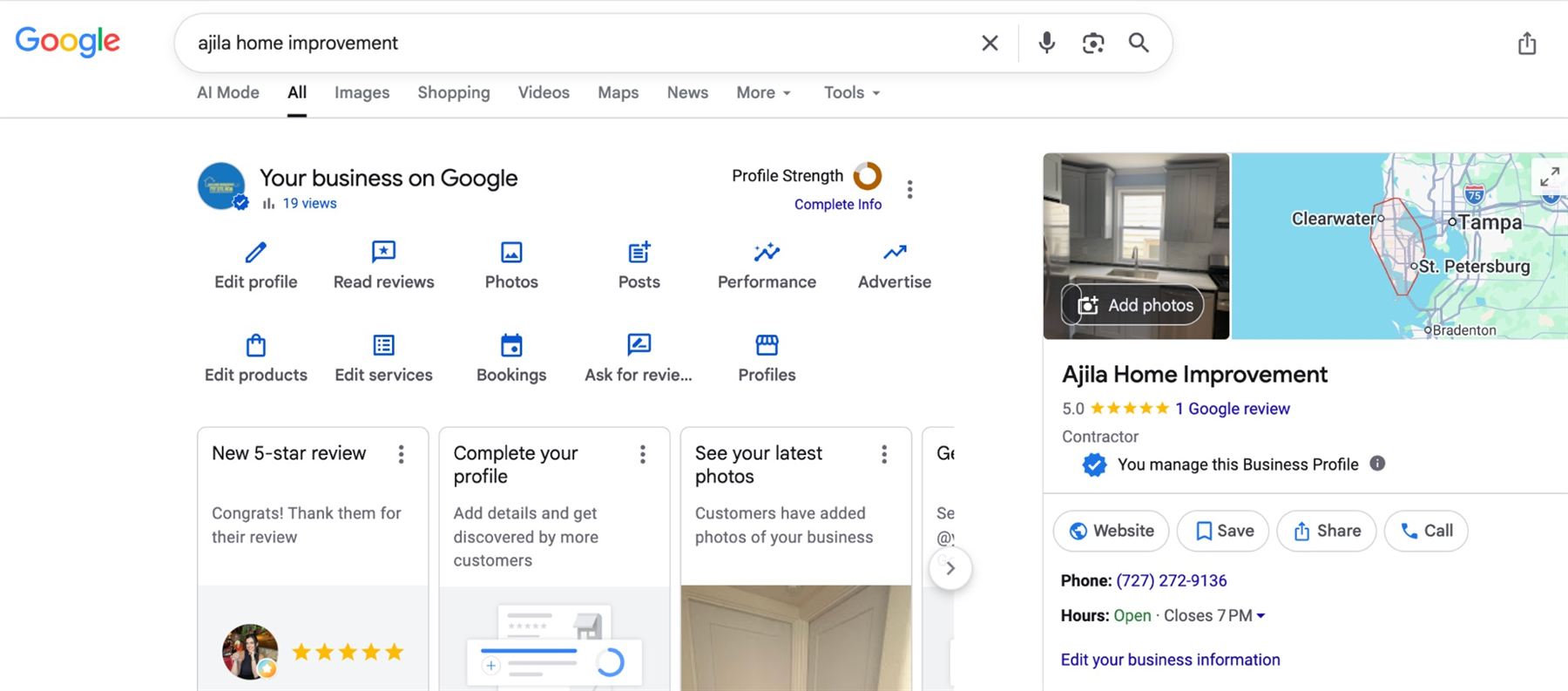
Google profile management screen showing Edit profile, Photos, Edit services, and Bookings controls
AJILA Home Improvement’s profile management controls. This is an interface example, not a performance case study. Controls can vary by profile.

Sign in with a Google Account your business controls. Search for your company’s name and city on Google and Maps. If a profile already exists, use its claim or ownership process rather than creating another listing for the same operation.

If no profile exists, follow Google’s add-or-claim instructions. If someone else manages the existing profile, resolve access first. A second profile does not fix an ownership problem.

Once you have access, the management panel is where you will edit business details, services, photos, and other available features. Keep a short record of which account owns the listing and who on your team is responsible for maintaining it.

Enter the business details customers rely on

Name

Use the real business name customers recognize.

Category

Choose the available category that best describes the main business.

Contact and hours

Use a working phone number, the correct website, and accurate operating hours.

Name and category

Do not add a string of cities or services to the business name unless they are genuinely part of the name used in the real world. Choose a specific primary category that fits your main business. Add other categories only for services your business actually represents.

For example, a company focused on plumbing should look for the matching plumbing category rather than choosing a broad label simply because it also performs minor repairs. Available categories can change, so use the choices shown in your profile. See Google’s profile editing guidance.

Services and contact information

List actual work in words customers understand: water-heater replacement, panel upgrades, or concrete driveway installation, as applicable. Do not advertise emergency response if your team cannot provide it.

Open the website link yourself and call the listed number. A remodeling business should make it clear how a homeowner requests a consultation. For website improvements, use our contractor website checklist.

Set an honest service area

Your base

Provide the real business location when Google requests it.

Public address

Hide it if customers are not served there.

Coverage

Choose cities or postal areas where you actually take jobs.

In the profile, go to Edit profile, then Location and Service area. Google currently allows up to 20 service areas and generally recommends an overall area within about two hours of your base. See Google’s service-area instructions.

Think about dispatch and estimating before adding distant towns. A lawn-care route may need tighter coverage than a contractor taking large renovation projects. Your website can explain those practical limits so customers know whether their project fits.

Do not create a separate profile for each town served by the same operation. A service-area list describes coverage; it is not a promise that your listing will rank throughout that area.

Complete the verification Google offers

Location evidence

Be ready to show where the business operates.

Business equipment

Use your actual tools, vehicle, or other relevant business evidence.

Management access

Show that you can access and operate the business as requested.

Google determines the available verification methods. Follow the options shown in your profile; do not assume every contractor can verify by text, postcard, or video. Some businesses may need more than one method. Follow Google’s verification instructions and keep any verification code private.

If video recording is requested, prepare the actual evidence before starting. Google’s video verification guidance explains how to show the location, business operations, and management access. Use a continuous recording made through the required process. Catalog photos, edited marketing videos, and images of another company cannot verify your business.

If verification is rejected, read the stated issue and address it. Keep the original profile and work through its verification or support process instead of making duplicate listings.

Add photos that explain the work

Concrete block wall under construction with a level and visible reinforcement
Illustrative masonry photo. Your business profile should use photos of your own work, with permission.

Plan a small set of useful images: the business or team, relevant equipment, work in progress, and completed projects. For masonry, a progress photo can explain the work behind the finished surface. For landscaping, preparation and finished planting images tell different parts of the story.

Use accurate captions where the platform allows them, and keep customer privacy in mind. Get permission before showing an occupied property or identifiable person. Do not use generic trade photography as evidence that your company completed a job.

Keep a folder for each project with its service, approximate area, and a few notes about the work. That gives you useful material for both the profile and a future website project story. Our photo and video content service can help plan the missing shots.

Link to a useful next step

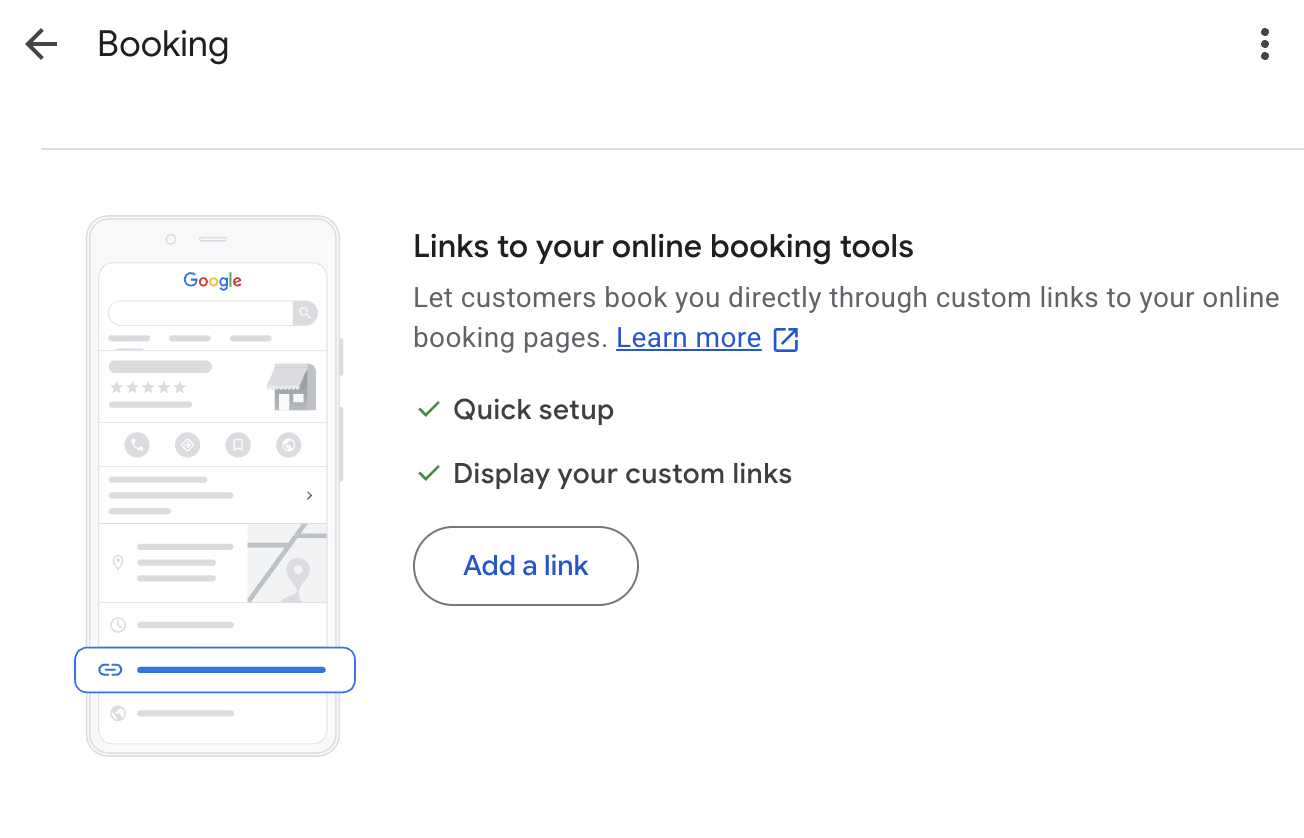
Google Business Profile Booking screen with an Add a link control for online booking pages
The booking-link screen connects to an existing scheduling page. Available options depend on the profile.

If Bookings is available in your profile, use it to add an appropriate online booking link. Google also supports booking providers; the available options depend on your business. See Google’s booking setup guidance.

For a contractor, the destination should match what can actually be scheduled. A discovery call or estimate appointment is different from a confirmed construction start date. Tell the customer which one they are requesting.

Test the link on a phone. Confirm that the page explains the appointment, captures the required details, and sends the request to the right person. If your process is a quote form rather than online scheduling, keep the website path clear without implying that every project can be booked instantly.

Check the customer’s path

Use this checklist on this page. Your selections are not submitted or saved.

After setup, revisit the profile when services, hours, phone numbers, or coverage change. Check the public view as well as the management panel. Treat profile actions as activity indicators and compare them with actual inquiries before drawing conclusions about results.

Your next useful step is to make sure the website answers the same service and location questions. If the profile and site need to be organized together, see what our contractor SEO service includes.

Common questions

Is Google Business Profile free for contractors?

Google Business Profile is free to add or claim. Agency help with setup, website improvements, or ongoing management is a separate service.

Should I show my home address?

If you do not serve customers at that address, hide it from the public profile and use the appropriate service-area setup. Provide accurate business information when Google requests it for verification.

Can I create a profile for every city I serve?

Do not create profiles for each town served by the same service-area operation. Use an accurate service-area list. Separate staffed business locations require their own eligibility review.

Does adding a city guarantee that I rank there?

No. A service area describes where you work. Google considers relevance, distance, and prominence when determining local results.

Can a customer book construction work through the profile?

A booking link can lead to an appropriate scheduling page when that feature is available. Explain whether the customer is scheduling a call, an estimate appointment, or a confirmed service visit. Do not imply that a complex project is confirmed before its scope is agreed.